

SYMAR already gives you synthetic personas, segments, questionnaires, AI moderators, evaluations, surveys, focus groups and interviews. Until now, though, you had to know which of them your question needed, set each one up in the right order, connect them by hand, and work out what every run would cost.
That works well if you’re a researcher who knows the platform inside out. It’s a lot to ask of a product manager with one pressing question, and even experienced researchers end up repeating the same setup work across several pages.
Study Assistant changes that. Describe what you need to learn, and it turns your brief into a complete study you can review, edit and launch from one place.
From brief to results in six steps
Study Assistant walks you through a guided workspace, and each step waits for you before moving on.
- Brief. Name the study, then describe the objective, the decision it should support and who you want to hear from. Markets, languages, constraints and a credit budget for the design to aim at are optional. An objective alone, or a single brief document, is enough to start.
- Research design. Study Assistant proposes a plan: which research to run, with whom, and why. Accept that exact version, or tell it what you’d change and get a new proposal.
- Audience. It builds the audience each run needs: a respondent pool for synthetic surveys, and a named set of fully profiled synthetic personas for interviews, focus groups and evaluations.
- Study materials. Questionnaires and AI moderator guides are generated for you to review, edit or regenerate. Images and videos you added as stimuli are placed on the questions that mention them when you approve a guide.
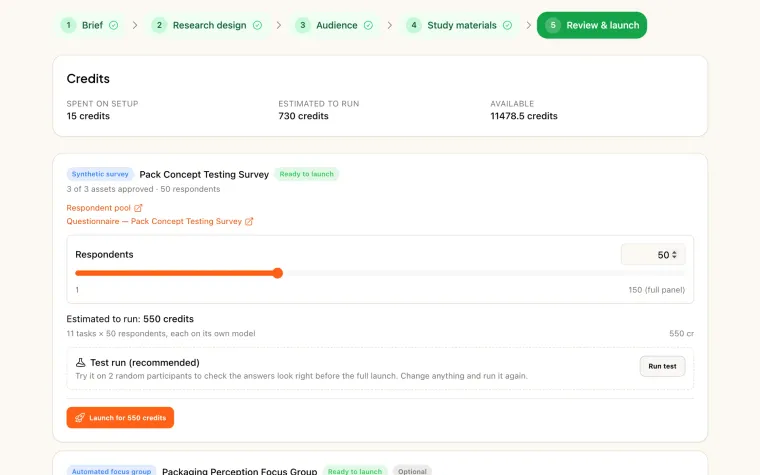
- Review & launch. You see readiness, the credit estimate for each run and anything that would block a launch, all recalculated just before you confirm.
- Report. Follow progress and results for every run in one place, retry a survey that failed, and create a combined study report as soon as one run is ready.
An assistant panel sits alongside the workspace the whole time, so you can ask why a method was chosen or what a step will do.
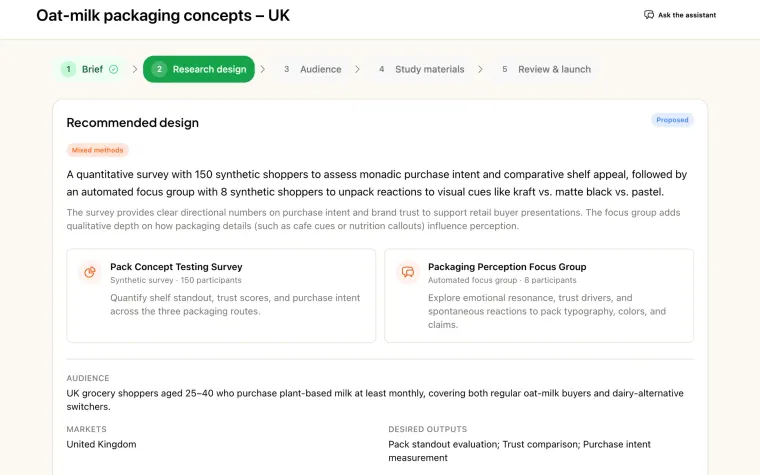
Every research type, in one plan
Study Assistant can plan and launch every kind of research SYMAR runs:
- synthetic surveys;
- automated and moderator-led synthetic focus groups;
- automated 1-on-1 interviews;
- text, image and video evaluations.
It can also recommend a mix. Comparing three packaging concepts with parents in the UK might call for an image evaluation, a survey and a focus group. Study Assistant plans all three as separate runs, each with its own readiness, estimate and results.
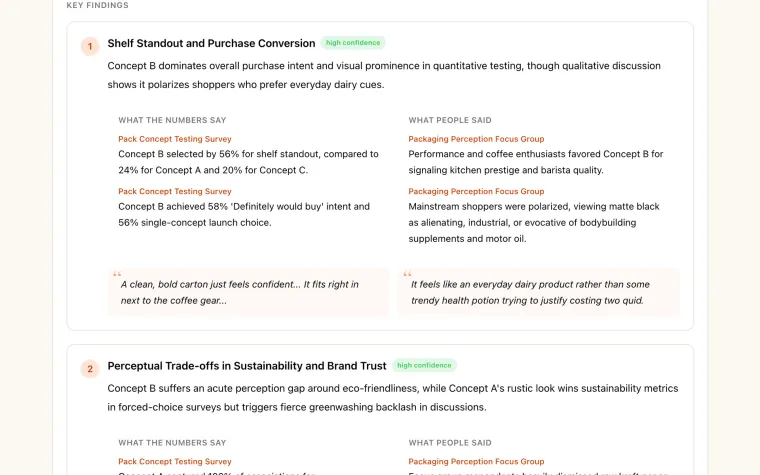
Nothing runs until you approve it
Study Assistant does the setup, but the decisions stay yours.
- The segment, personas, questionnaires and moderator guides each wait for your approval.
- Launching takes a deliberate confirmation that shows the runs you’re starting and the credits they’ll use.
- The assistant never launches anything itself, so nothing spends credits without you.
Synthetic research is a fast way to explore and pressure-test ideas, not a replacement for human judgement, so every generated design is there for you to review before it runs.
Every credit, shown up front
Before each step, Study Assistant shows what that step will charge, what capacity it needs and anything that blocks it. Before launch, you see the estimate for every run, worked out with the same pricing as setting the study up by hand. A retry of the same version is never charged twice.
Real assets you keep
The segments, personas, questionnaires and AI moderators Study Assistant creates are normal SYMAR assets. You can open them in the full editor, use them in other research, and they stay in your project even if you delete the study.
Your own documents help too. Upload a brief, a report or a spec as PDF, DOCX or TXT, and Study Assistant uses it as context for the design. Documents are never shown to respondents.
Availability
Study Assistant is available now on both SYMAR Project and SYMAR Program. Open Study Assistant in SYMAR’s main navigation to start your first study, or read more on the Study Assistant page. New to SYMAR? See pricing.